How to use AI Anvaya
A first guide you can read without signing in.
Getting started with AI Anvaya
Signing in
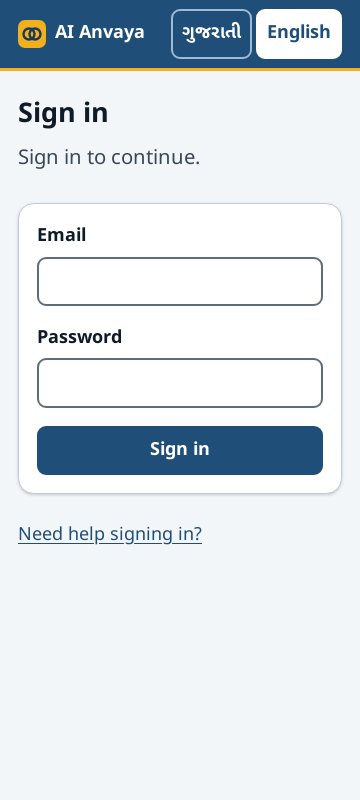
- Open the AI Anvaya address your coordinator gave you.
- Type your email and your password.
- Press Sign in.
If the email or the password is wrong, the page says so. Check them and try again. If you still cannot sign in, ask the person who set up your account.
After you sign in you land on Home. Field staff start a new plan from there. Admins see the plans that are waiting for review.
Changing the language
Every page has two buttons at the top right: ગુજરાતી and English. Press one and the whole app, including these guides, changes to that language. The app remembers your choice on this phone or computer.
Finding help
- Press Help in the menu to read every guide or to search for a word.
- Press the ? button at the top of a page to read the guide for that page.
- To open this page again before you sign in, use the "Need help signing in?" link on the sign-in page.
Signing out
Press Sign out in the menu when you finish, especially on a phone that is not yours. Signing out also signs you out on every other phone and computer.